
How Tableau can query data from Cloudera Impala table with Complex Type data type columns ?
Solution: use Custom SQL.
Check out this built in customers table from Cloudera Quickstart VM:

Customer table include 3 Complex Type columns:
- email_preferences: struct data type
- addresses: map data type
- orders: array data type
Tableau can easily query table using a scalar / traditional data type. But you will get below error when you try to query table with Complex Type like this customer table inside impala.
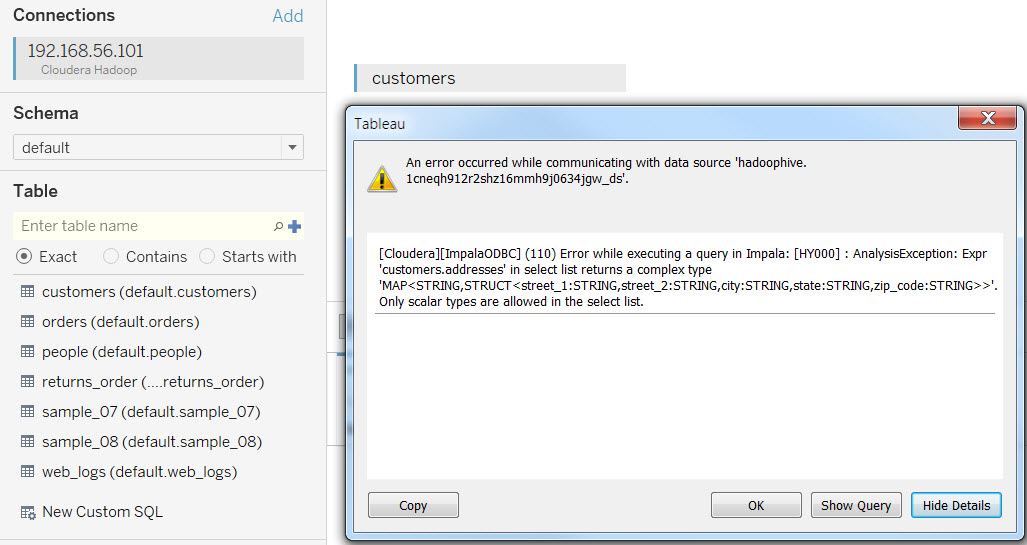
The reason is because Tableau cannot automatically convert Impala Complex Type column and flatten it into a scalar data type.
So how do you query this customer table inside Impala Hue Query Editors ?
You need to use impala special SQL syntax using “tablename.complextypecolumn.anothercomplextypecolumn” to query the data and flatten the result.
This is the result when i use the above special SQL syntax.
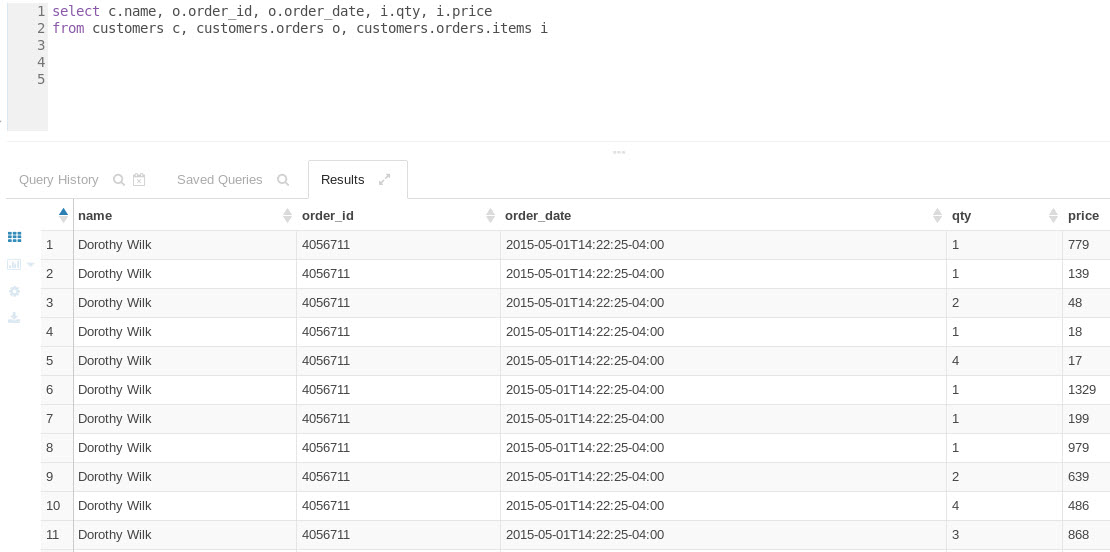
This gives me idea to solve the problem.
Tableau has Custom SQL feature that can be used for running a “special” SQL syntax like these that can only be understood by the database itself. The performance will not be great but it solve our current challenge.
So let’s connect Tableau to Impala and click the Custom SQL menu and put the special SQL and it shows the same result.

The result is a normal data set with scalar data type and it is flat table. So we can work on it it just like connecting to other data sources with scalar data type as below sample.
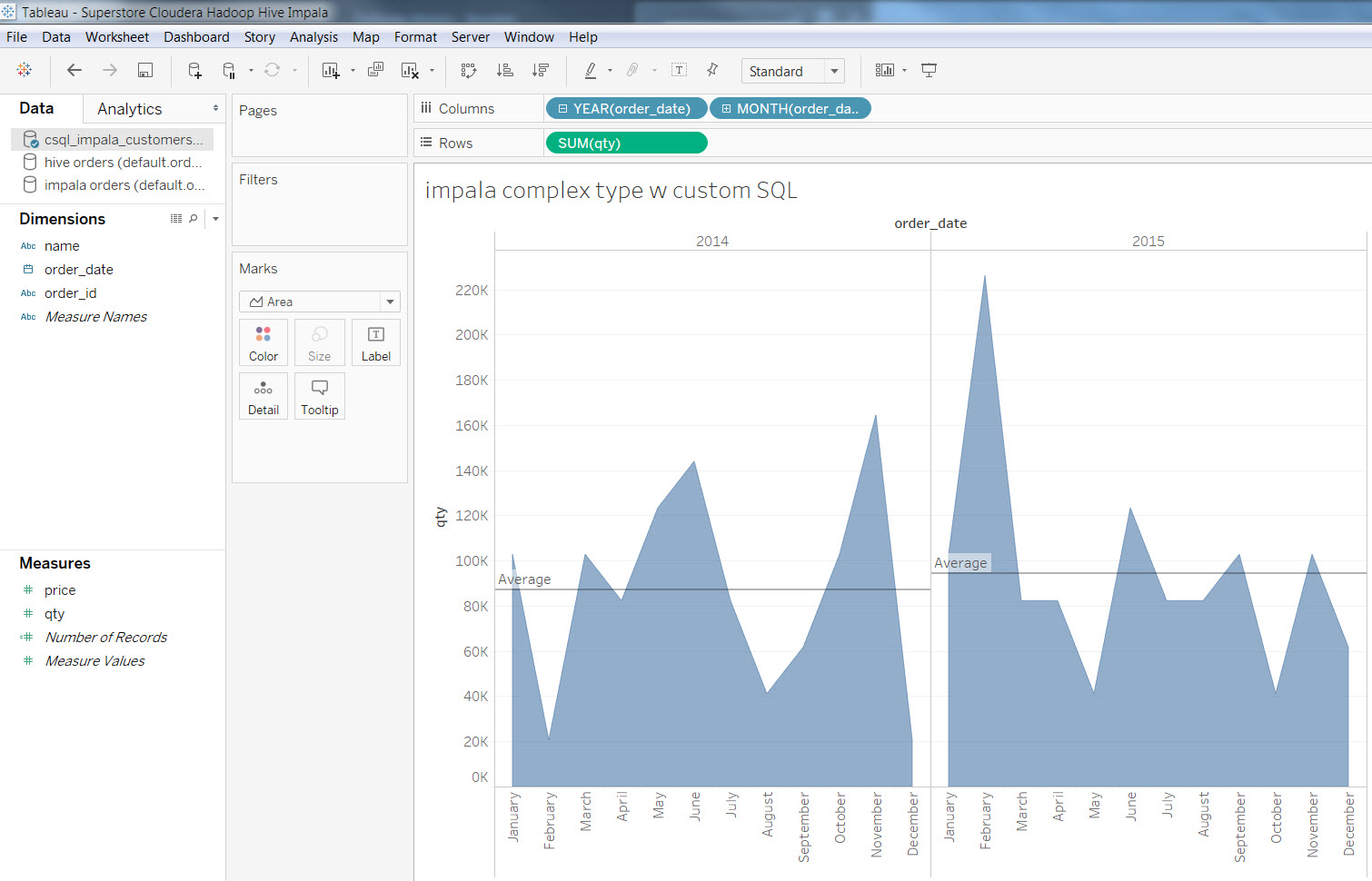
Custom SQL works !!!
Enjoy.
 Technology gems to share